
i-Board Alert: Quality Trend Alert Notification & Data Integration Engine
Aggregates and monitors out-of-tolerance occurrences and control chart trend anomalies in the background. It simultaneously performs automated batch email alerts and structured CSV log exports for integration with MES and other systems, eliminating the need for continuous on-screen monitoring.
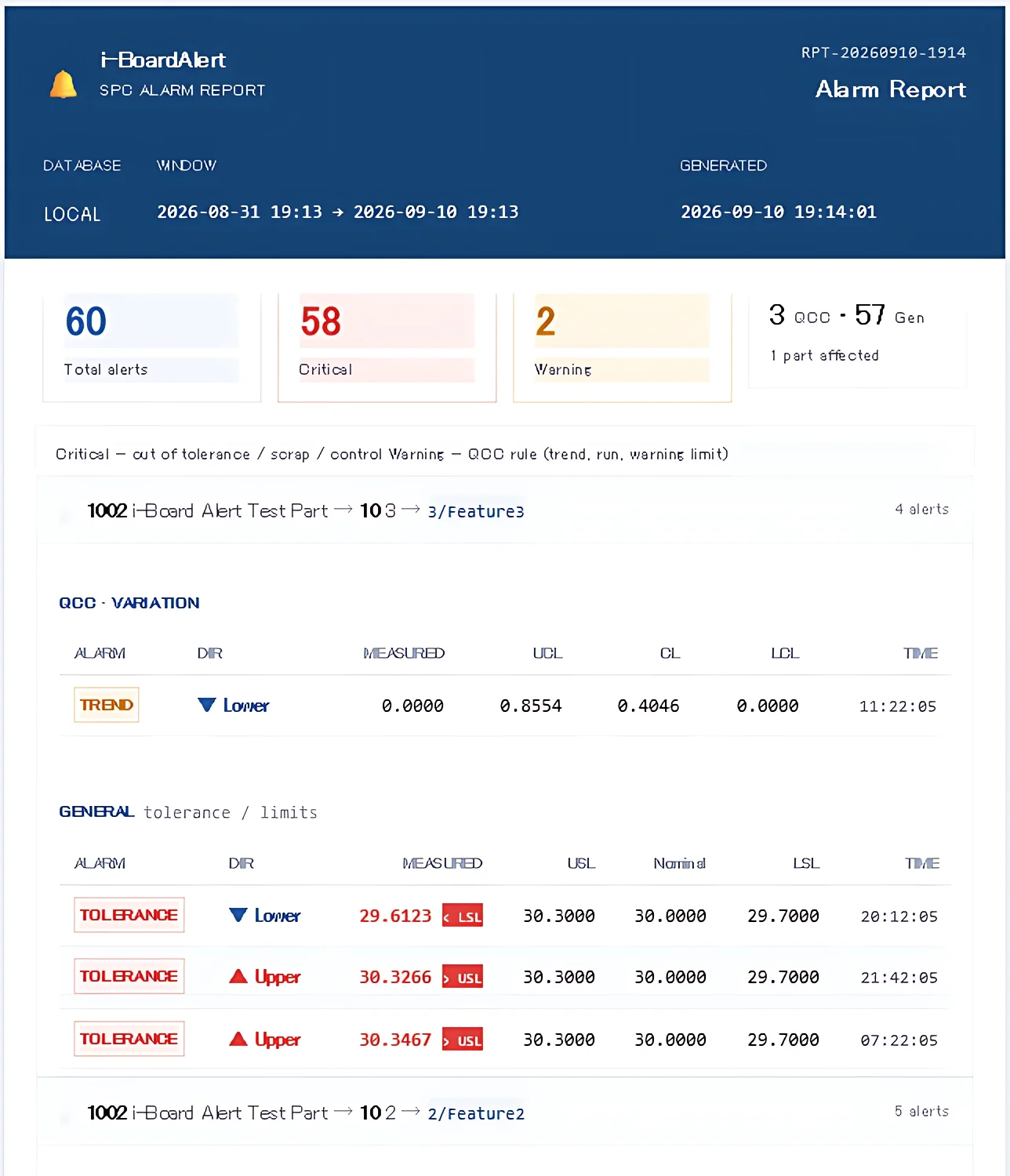
Tailored Quality Alarm Configuration for Every Process
First, use the alarm settings screen to clearly define under what exact conditions a warning should be triggered by selecting which process instability alarms to activate and setting their trigger thresholds.
Next, define your monitoring targets and batch cycles by specifying data priority, processes, part names, and update intervals.
Once configured, simply start automatic monitoring—i-Board Alert will handle everything from alarm detection to report generation and email delivery automatically.
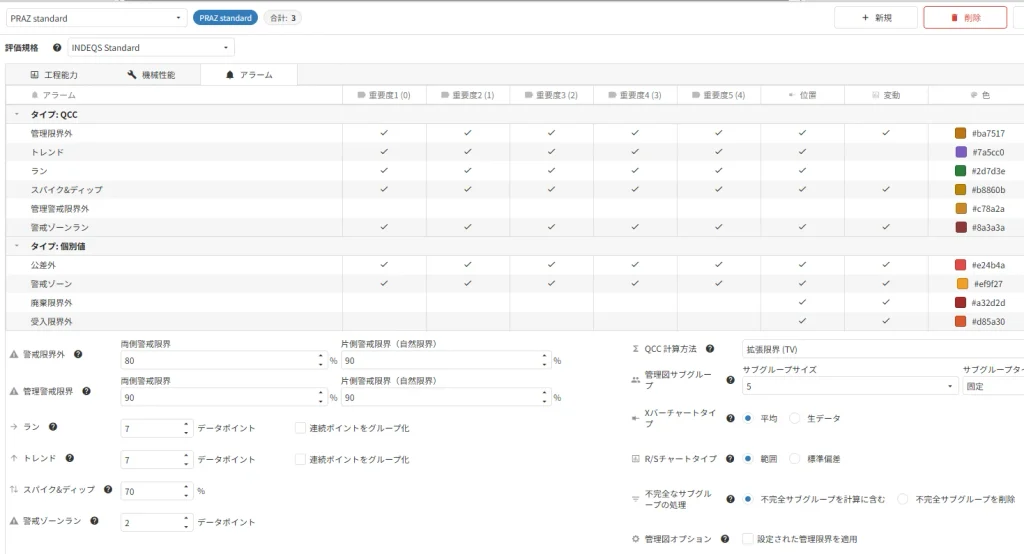
Clear, Intuitive Reporting for Everyone
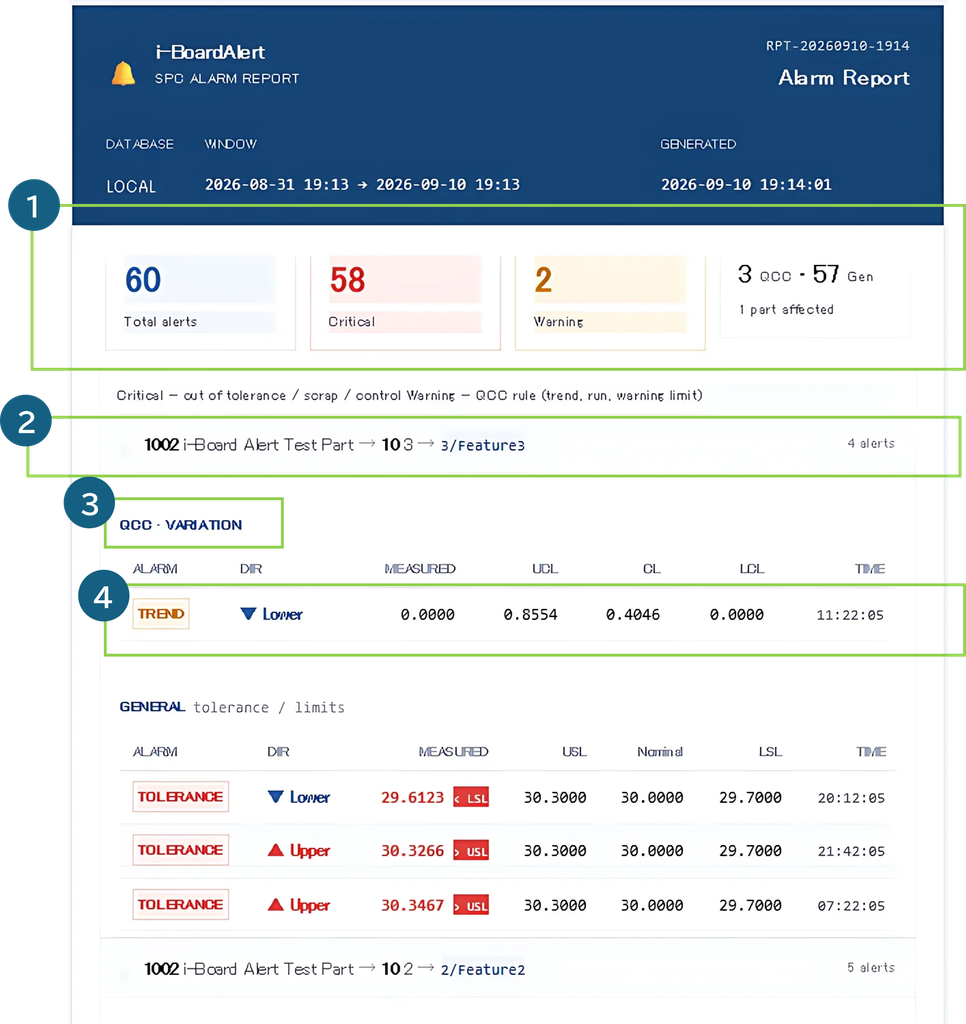
Rather than merely listing raw alerts, reports are structured around real-world manufacturing units like processes and parts, making it easy to see when, where, what issue occurred, and how frequently.
- Summary of alarm counts and types at the part level
- Drill-down path across hierarchical layers from the top level
(Process 1 → Equipment No. 2 → Part Name 001 → Characteristic 3) - Alarm categories
General: Individual values occurring outside tolerance or in warning zones
QCC: Control chart limit violations and indications of quality shifts (trends, runs, etc.) - Sequential details: Alarm type, deviation direction, value, upper limit, lower limit, and timestamp
CSV Logs for External System Integration
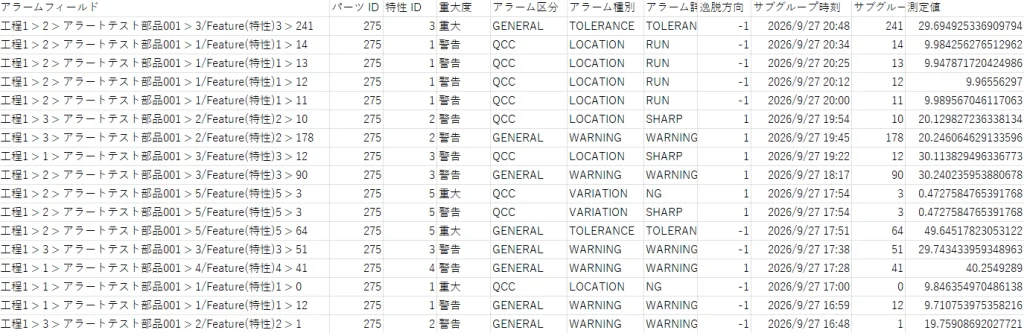
iNDEQS does not simply share collected data—it shares meaningful insights derived from that data.
Alongside email notifications, it exports clean, structured CSV log files designed for seamless integration with external systems such as MES and production management platforms.
Secure Communication Even in Cloud Environments
When running i-Board Alert on cloud servers, SSL support ensures fully encrypted and secure communication between clients and the server.