
i-Record: Hand Tool Measurement Data Entry Support & Management System
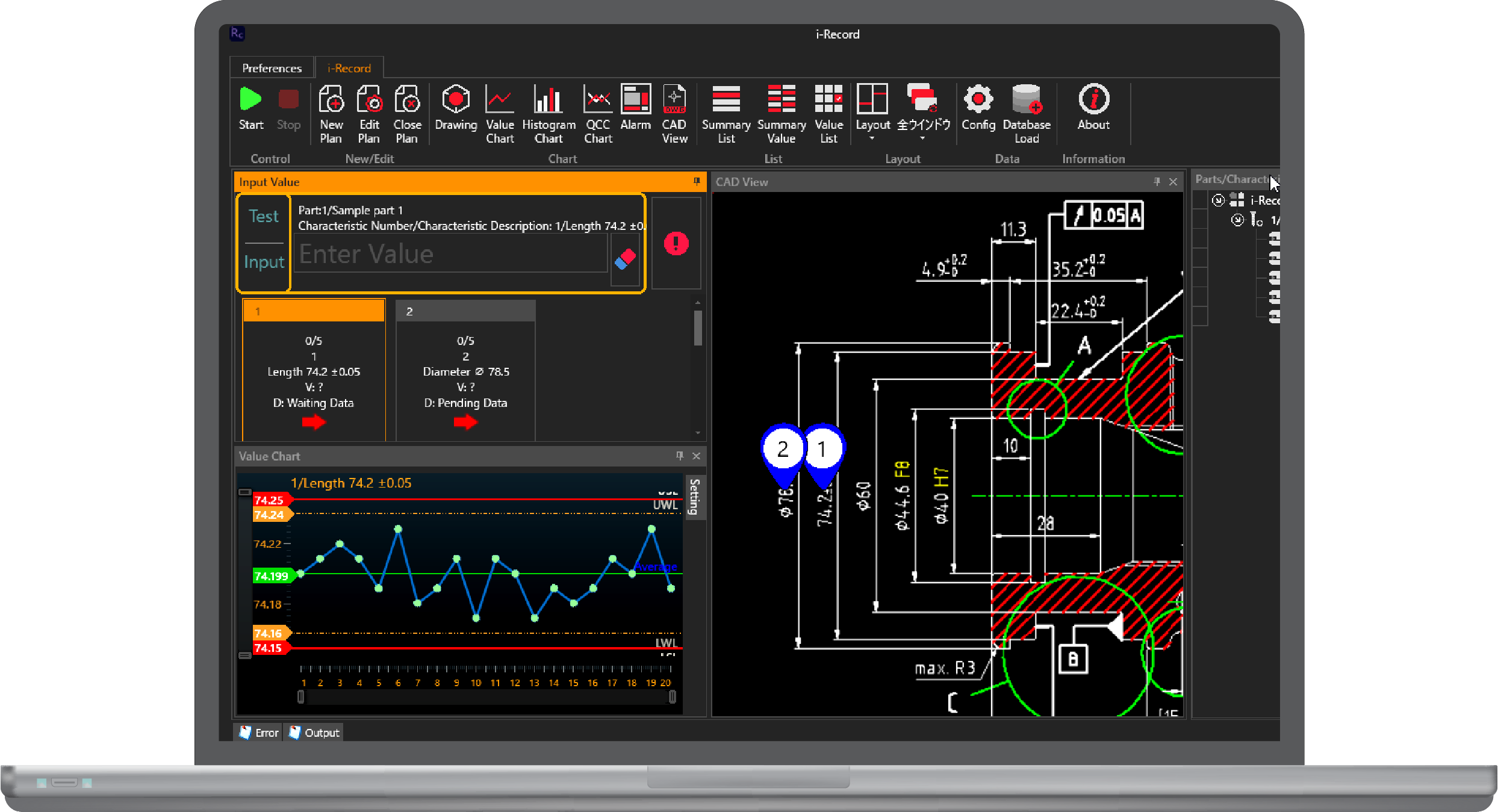
Efficient data management for tools requiring manual entry—such as micrometers, calipers, and cylinder bore gages—remains a major challenge for quality managers. Even when consolidating data into Excel, manually transcribing nominal dimensions and tolerance specifications from drawings to build custom entry forms is time-consuming. i-Record directly imports nominal values and tolerances from drawing files, providing manual data entry support for hand tools like calipers and micrometers, alongside data management, tolerance violation alarm handling, and process capability evaluation capabilities.
File-based records like Excel spreadsheets are unsuitable for monitoring and analyzing long-term process trends. i-Record consolidates measurement data from hand tools into a centralized database—treating them identically to automated measurement systems and other inspection results.
Direct Drawing Data Import
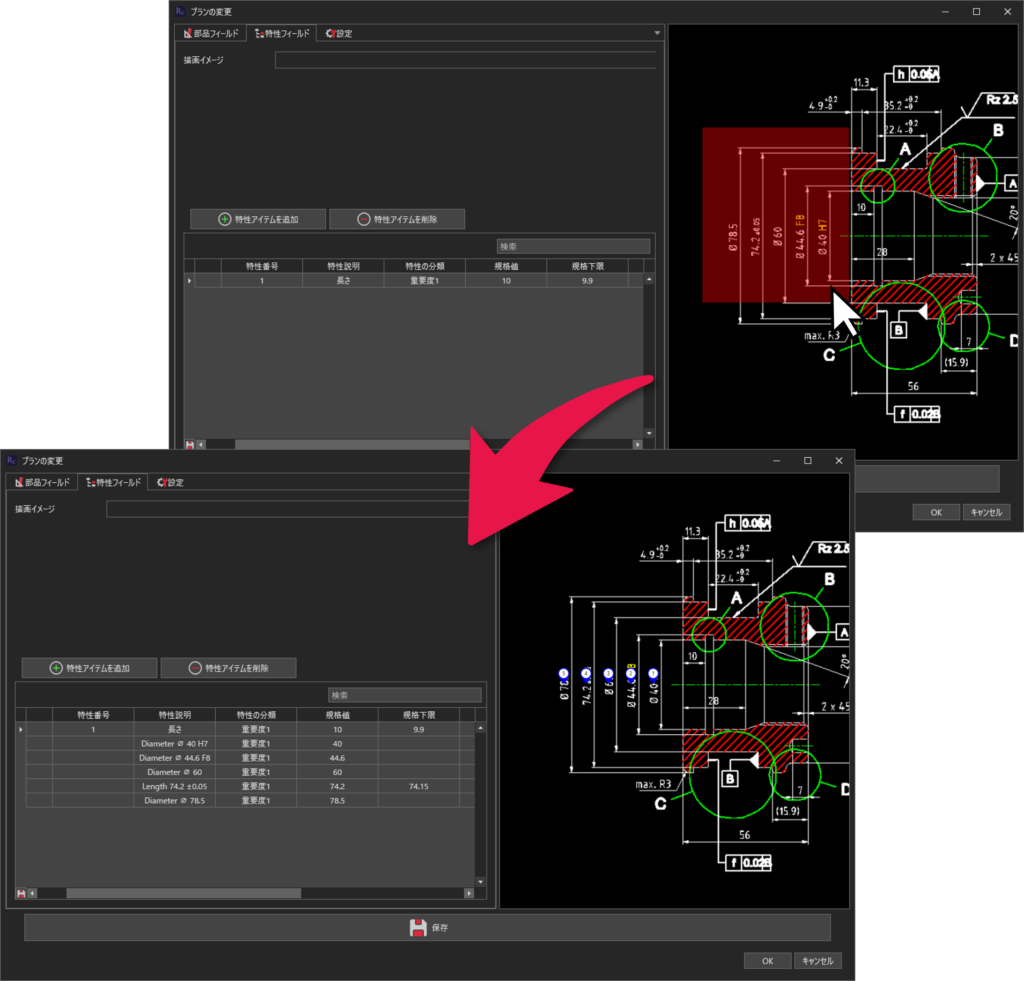
Evaluating whether measured values pass or fail requires nominal dimensions and tolerance parameters. For multi-point inspections, manually entering these specifications into inspection sheets is labor-intensive and prone to human error. With i-Record, you can import nominal dimensions and tolerance parameters directly by simply dragging a box around the required items on your drawing file.
This drastically reduces measurement preparation time and eliminates transcription errors.
When engineering design changes occur, updating nominal values and tolerances on inspection sheets is as simple as dragging and importing only the modified sections from the revised drawing, providing agile adaptability to design iterations.
Alert Notifications
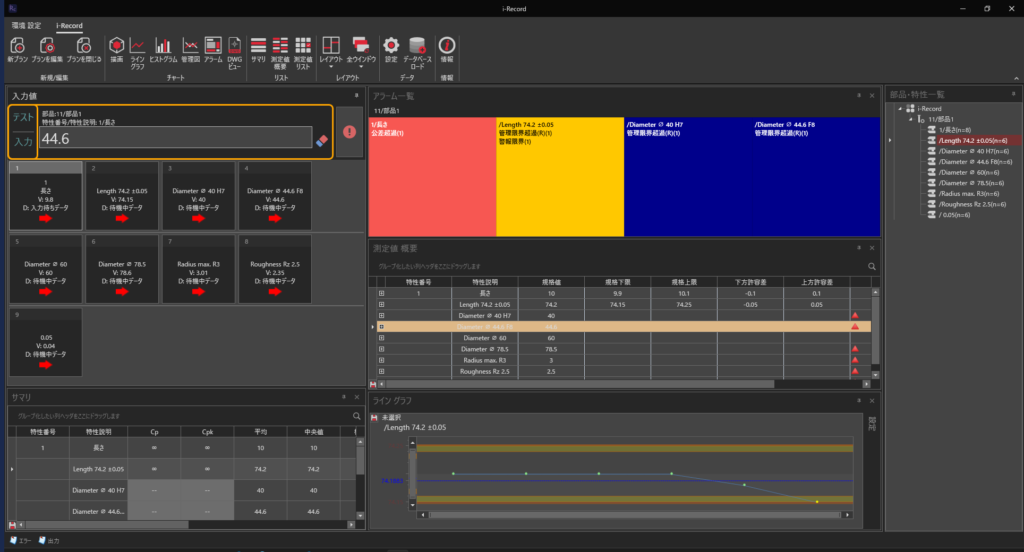
Displays clear alerts for out-of-tolerance values and high tolerance consumption rates. For individual measurement points, multiple threshold levels—such as pass/fail limits and specification boundaries—can be set to trigger distinct alerts independently.
Alerts can be applied not only to individual measurement points but also to control charts (X-bar and R charts), enabling prompt notifications whenever significant trend variations occur.
Traceability Data Entry Support
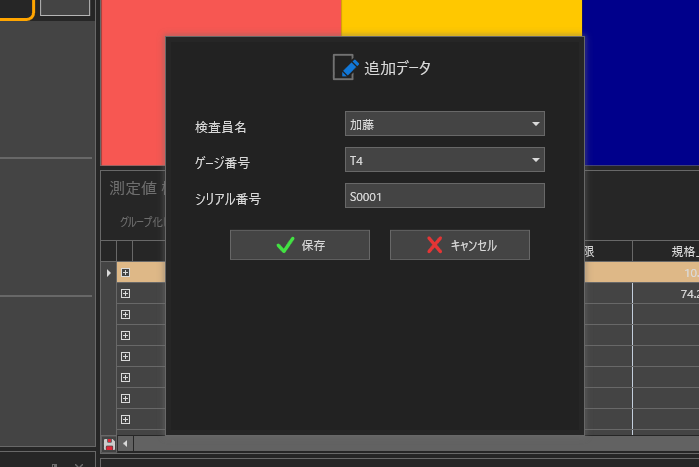
Quality management often demands rigorous traceability. By automatically presenting a prompt window before or after measurement entry, the system prevents omissions of critical traceability data such as serial numbers.
Users can customize which traceability fields appear, their visibility, selectable choices, and display formatting to match their operational workflow.
Pair with i-Report to Drastically Cut Work Hours!
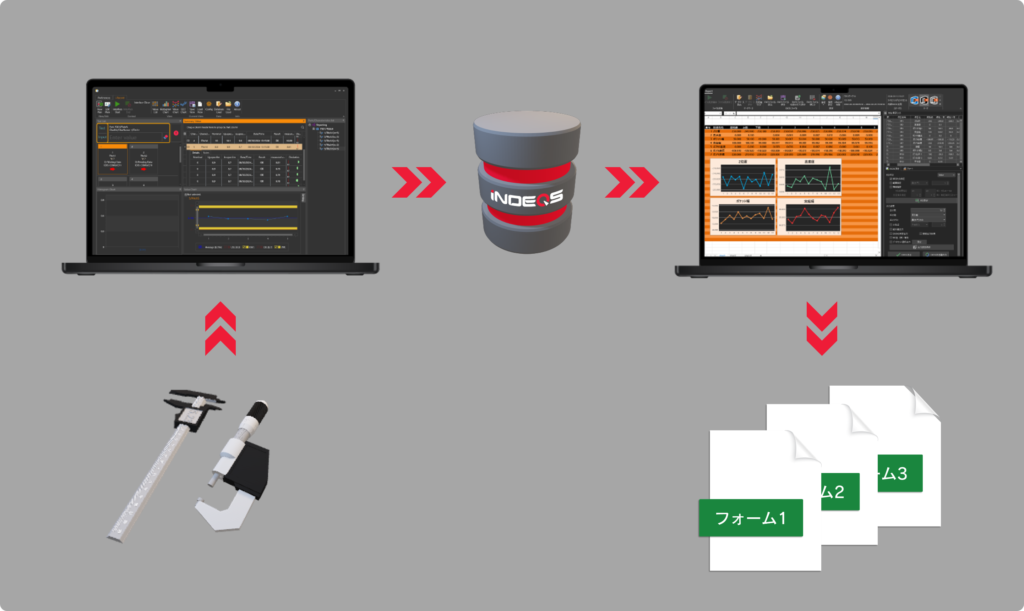
i-Record imports nominal dimensions and tolerance specifications from drawings to rapidly build inspection plans.
By simply entering data according to the inspection plan sequence, measurements are automatically classified by part or product and saved to the database. Guided entry pop-ups ensure that required traceability details are never overlooked.
Meanwhile, i-Report queries and retrieves targeted data from the i-Record database by part number, lot number, or serial number, outputting it directly into arbitrary Excel templates. Unlike generic “export to Excel” functions, it accommodates highly irregular or complex layouts.
Even when different customers or destinations require distinct report formats from the same database, it handles them effortlessly. Once cell mapping is configured, selecting a serial or lot number automatically populates targeted values into designated cells. i-Report and i-Record deliver the ideal combined solution for managing manual gauge data and generating polished inspection reports.
Watch i-Collector in action.